
WhatsApp Chatbot Clinic Guide: Automate Healthcare Admin Safely
Every clinic manager knows the feeling. It is 11pm on a Tuesday and your WhatsApp is lighting up — appointment requests, questions about opening hours, parents asking what to do about a sick child. By morning there are forty unread messages. Some routine, some urgent, and you had no way of knowing which was which until you opened each one.
A WhatsApp chatbot for your clinic changes this entirely. Instead of every message sitting unanswered until morning, the chatbot handles routine admin instantly — and escalates anything clinical to your human team. This guide explains exactly how a whatsapp chatbot clinic setup works, what it should and should never do, and how to deploy one safely under PDPA and HIPAA.
How a WhatsApp Chatbot Clinic Setup Works
A whatsapp chatbot clinic operates on a simple principle: the AI answers administrative questions automatically, and any clinical or sensitive message is immediately handed off to a qualified person. The chatbot is trained only on information you provide — your hours, fees, appointment process, and doctor schedule. It does not have access to clinical databases, drug references, or medical guidelines. This is by design.
WhatsApp auto reply healthcare systems work best when the boundary between AI and human is drawn early and enforced automatically. The moment a message touches on symptoms, diagnoses, or medication, the AI stops and a staff member takes over.
Want to see this in action for your clinic? Try BobWork free at bobchat.ai — set up your first automated responses in under an hour, no developer needed.
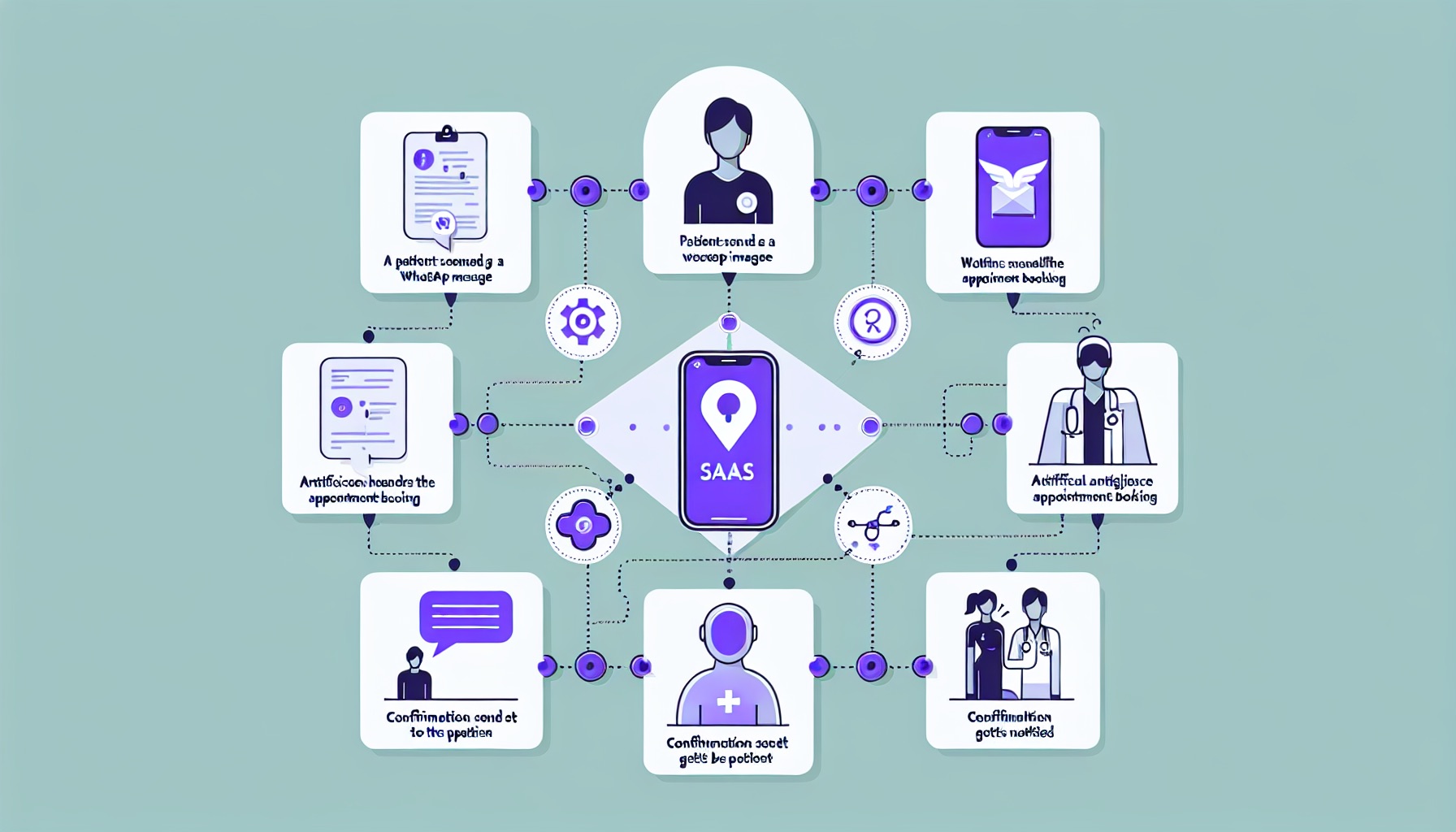
The #1 Question Clinics Ask First: Will the AI Give Wrong Medical Advice?
Direct Answer: No — because the AI is trained only on the information you provide, such as clinic hours, appointment procedures, fees, and administrative FAQs. Any question involving symptoms, diagnoses, or medication is immediately flagged and escalated to a human staff member. The AI never diagnoses. It never recommends treatment. It books appointments and answers admin questions.
This is not a limitation to work around — it is the correct design. A WhatsApp chatbot for a clinic should behave exactly like a well-trained receptionist who knows one clear rule: if a patient describes a health concern, stop and get a qualified person on the line. The AI follows the same rule, automatically and every time.
When you set up BobWork for your clinic, you define the escalation triggers yourself. You decide which phrases or topics immediately route the conversation to your team. "Fever", "chest pain", "medication", "symptoms" — anything you specify becomes an instant human handoff, with the AI's response pointing the patient clearly to your emergency number or nearest A&E.
Why the Hard Boundary Matters
The hard boundary between AI and clinical advice is not just a safety measure — it is a compliance requirement. Under PDPA, HIPAA, and GDPR, healthcare providers are held to a higher standard for data handling and patient communication. A chatbot that attempts to triage symptoms creates liability. A chatbot that routes symptoms to a human creates safety. The design choice is not optional.
What Clinics Get Wrong at Setup
The most common mistake is defining escalation rules too narrowly. "Emergency" and "urgent" are obvious triggers — but "feeling dizzy", "not getting better", and "worried about my test results" are equally clinical and equally require a human. Build your trigger list broadly and refine it over the first few weeks as you see what patients actually ask.
What a WhatsApp Chatbot Clinic Should Handle
Direct Answer: The AI is ideal for high-volume administrative questions: opening hours, location and directions, appointment booking, fee enquiries, doctor availability, and general clinic policies — questions that have a factual, non-medical answer.
Here is a breakdown of what works well in practice:
Opening hours and location. "What time do you open on Saturday?" and "Where are you located?" account for a significant share of clinic WhatsApp messages. These are pure admin. The AI answers instantly, 24/7, with the information you have provided.
Appointment booking. Patients want to book at midnight. They want to reschedule on Sunday morning. With AI handling the intake — collecting name, preferred date and time, and the nature of the visit (e.g. "general check-up", "follow-up for Dr Tan") — your staff arrive in the morning with a clean booking queue rather than a pile of open threads to decipher.
Fee enquiries. "How much is a consultation?" and "Does the clinic accept insurance?" are common questions that can be answered fully from your standard fee schedule. No medical judgement required.
Doctor availability. "Is Dr Lee available this week?" is an administrative question. The AI can answer based on the schedule you have shared, or acknowledge that it will check and confirm — whichever workflow fits your clinic.
Directions and parking. For clinics in malls, medical centres, or unfamiliar buildings, "How do I get there?" is a daily query. A single well-written answer in your AI's knowledge base handles it for everyone.
Comparing WhatsApp Automation Clinic Options
Not all whatsapp automation clinic tools are built the same way. Here is how the key features compare across common approaches:
| Feature | BobWork | Generic WhatsApp Bot | Manual Staff Reply |
|---|---|---|---|
| 24/7 availability | Yes | Yes | No |
| Medical escalation rules | Built-in, customisable | Requires custom dev | Human judgement |
| PDPA / HIPAA data handling | Compliant by design | Varies | Staff-dependent |
| Appointment booking integration | Yes | Limited | Yes |
| Setup time for non-technical staff | Under 1 day | Days to weeks | None |
| Handoff to human with context | Full conversation passed | Often lost | Full |
| Healthcare-specific templates | Yes | No | N/A |
This table reflects a whatsapp automation clinic scenario for a GP or specialist practice. Your specific needs may shift the ranking — but the escalation and compliance columns are non-negotiable for any healthcare deployment.

What a WhatsApp Chatbot Clinic Must Never Handle
Direct Answer: The AI must never engage with clinical questions — symptoms, diagnoses, medication advice, or anything requiring professional medical judgment. These must always escalate to a human immediately, with a clear message directing the patient to call the clinic or seek emergency care.
The line is simple: if the answer requires medical training to give correctly, a human gives it.
In practice, this covers:
- Symptom questions ("I have had a headache for three days, is it serious?")
- Diagnosis requests ("Could this be dengue?")
- Medication questions ("Can I take ibuprofen with my blood pressure tablets?")
- Paediatric health concerns ("My child has a fever, what should I give her?")
- Any question about test results or follow-up on a previous visit
When a patient sends a message like this, the AI's job is not to try to help — it is to redirect clearly and quickly. A well-configured response sounds like this:
"This is a medical question that our AI cannot answer. Please call us directly at [number] during clinic hours, or visit the nearest A&E if this is urgent. Your health and safety come first."
That response is safe, professional, and protects both the patient and your clinic.
Writing Escalation Responses That Feel Human
The language of your escalation message matters. Patients who send worried messages at midnight are stressed. A cold, robotic response — "Your query has been escalated" — does not help. A warm, clear response — "We hear you. A member of our team will reach you as soon as possible. If this is urgent, please call [number] or go to the nearest A&E." — does. Write your escalation messages the way you would want to be spoken to at your most anxious.
How to Set Up Escalation Rules
Direct Answer: Escalation rules are keyword and phrase triggers that you define when setting up your AI. Any message containing those triggers bypasses the AI and routes immediately to a human staff member, with a notification and the full conversation context.
Setting up effective escalation for a clinic involves three steps.
Step one: Define your medical trigger list. Start with obvious terms: symptoms, pain, fever, diagnosis, medication, prescription, allergy, emergency, urgent. Then add terms specific to your clinic type. A dental clinic adds: tooth pain, swelling, bleeding. A women's health clinic adds: pregnancy symptoms, bleeding, discharge.
Step two: Write your escalation response. This is the message the patient sees when the AI cannot help. Keep it warm but direct. Include your clinic phone number, your hours, and a clear prompt to call the emergency services if needed. Test it by reading it as a worried parent at midnight — does it make them feel guided, not abandoned?
Step three: Set up staff notifications. When an escalation is triggered, your on-call team should receive an immediate alert with the patient's message and contact details. BobWork handles this automatically — your staff are notified the moment a sensitive keyword appears, even outside clinic hours.
Review your escalation list every few months. You will notice patterns in the messages that slip through or that trigger unnecessarily. Refine accordingly.
Using WhatsApp Auto Reply Healthcare Templates
BobWork ships with whatsapp auto reply healthcare templates pre-loaded for common clinical scenarios: appointment confirmation, fee enquiry, directions, doctor availability, and the medical escalation message itself. These templates are built around real clinic workflows and can be customised to match your clinic's voice in minutes. Non-technical staff can edit them directly in the BobWork dashboard without developer support.

PDPA, HIPAA, and Patient Data: What You Need to Know
Direct Answer: Patient data in a WhatsApp AI system must be handled under the same compliance standards as all clinical data. For clinics in Singapore and Malaysia, PDPA applies. For clinics serving US patients or using US-based systems, HIPAA applies. Key requirements include data minimisation, access control, and clear consent.
Healthcare data carries a higher standard of care than general business data — and rightly so. Here is what to check before deploying any AI system in a clinical setting:
Data minimisation. The AI should only collect what is necessary for the purpose at hand. To book an appointment, the AI needs a name, contact number, and preferred time. It does not need a medical history, and it should not be collecting one.
Consent. Patients should be informed they are interacting with an automated system and have given consent for their contact details to be used for appointment management. A simple disclosure at the start of the conversation is standard practice.
Data residency. Know where the data is stored and processed. For clinics in Singapore, check that your provider stores data within Singapore or in jurisdictions that meet PDPA transfer requirements. For clinics in the UK, GDPR applies with similar requirements.
Access control. Only authorised staff should be able to view patient conversations. BobWork routes data only to the accounts and staff members you designate.
Audit trails. For healthcare, it is good practice to log when conversations were escalated and to whom. This creates accountability and supports any review process if a concern is raised.
When in doubt, consult your clinic's legal advisor or data protection officer before deployment. A well-configured system with the right compliance setup is a genuine asset — but the configuration step is not optional in healthcare.
Data Handling Checklist for Clinic Deployments
Before going live with a whatsapp chatbot clinic setup, run through this checklist:
- AI collects only name, contact, and appointment details — no medical data
- Consent disclosure is displayed at the start of every new conversation
- Data is stored in a compliant jurisdiction for your region
- Only authorised staff have access to conversation logs
- Escalation events are logged with timestamp and staff recipient
- Escalation response message has been reviewed by clinic management
Three Real Scenarios: How This Plays Out in Practice
Scenario one: The 11pm appointment booking. A patient sends a WhatsApp message at 11:07pm: "Hi, I'd like to book an appointment for a general check-up this Thursday morning." The AI responds within seconds, collects the patient's name and preferred time, confirms availability based on the current schedule, and sends a confirmation. By the time your receptionist arrives at 8:30am, the booking is already in the queue, correctly labelled and ready to confirm.
Scenario two: Checking doctor availability. "Is Dr Lee available today?" The AI checks the schedule you have provided and responds: "Dr Lee is available today from 2pm onwards. Would you like to book a slot?" If the schedule has not been updated, the AI responds: "I will have our team confirm Dr Lee's availability for you — they will reply shortly." A staff notification is sent immediately.
Scenario three: A worried parent at midnight. "My child has had a fever since this afternoon and is crying a lot. What should I give her?" This message triggers the medical escalation rule. The AI responds: "I'm sorry to hear your child is unwell. This is a medical question our AI cannot answer safely. Please call our clinic at [number] — if your child's condition is serious or worsening, please visit the nearest A&E immediately. Please do not wait." A staff notification is sent with the full message and the parent's contact number. No medical advice is given. No risk is taken.

FAQs
Can a WhatsApp AI make mistakes when booking appointments?
Like any system, errors are possible — but they are minimised by design. BobWork confirms bookings with the patient before finalising, and all bookings route through your clinic's scheduling workflow where a human reviews and confirms. If a slot is unavailable, the AI flags it and asks for an alternative time rather than booking incorrectly. Your staff retain full oversight at every step.
What happens if a patient is rude or distressed in their message?
If a message contains distress signals — including words like "emergency", "scared", "hurting badly", or "I don't know what to do" — your escalation rules trigger and the patient is immediately directed to a human. The AI is not designed to manage emotional crises. Its job is to recognise them and hand off quickly. You define the trigger phrases, and BobWork escalates automatically.
Do patients know they are talking to an AI?
Yes — and they should. BobWork's first message to a new patient clearly identifies itself as an automated assistant. Transparency builds trust, particularly in healthcare settings. Patients are told they can ask to speak with a staff member at any time, and that certain questions will always be handled by your human team.
How long does it take to set up a WhatsApp chatbot clinic system?
Most clinics are live within a day. The setup involves providing your clinic information — hours, location, fee schedule, doctor list, appointment process — and defining your escalation rules. BobWork's onboarding process is structured specifically so non-technical staff can complete it without developer help. The escalation rules are the most important part, and BobWork provides healthcare-specific templates to start from. Visit bobchat.ai to start your free trial.
Is this suitable for specialist clinics, not just GPs?
Yes. The AI is trained on the information you provide, so a dermatology clinic, dental clinic, paediatric clinic, or physiotherapy practice each gets an AI that knows its specific services, procedures, and terminology. Specialist clinics often have higher volumes of specific routine questions — "How many sessions does a course of treatment take?", "What should I bring to my first appointment?" — that AI handles particularly well.
What if a patient sends a message in a language my staff does not speak?
BobWork can be configured to respond in multiple languages. For multilingual clinics serving diverse communities, you can set up your knowledge base in the languages your patients use most — and the escalation message can include your clinic number in a language-neutral format so patients know exactly what to do regardless of the language barrier.
Conclusion
Clinics run on trust. Patients trust you with their health, their children, and their most anxious questions. A whatsapp chatbot clinic setup does not replace that trust — it protects it by making sure every message gets a response, every urgent situation gets escalated immediately, and your staff are free to focus on patients rather than WhatsApp queues.
The key is simple: AI handles the administrative load, humans handle everything clinical. Draw that line clearly, set your escalation rules carefully, and a well-configured AI becomes one of the most reliable members of your front-desk team.
Ready to set up a whatsapp chatbot clinic for your practice? Try BobWork free at bobchat.ai — no technical setup required, and you can have your first automated responses running within hours.